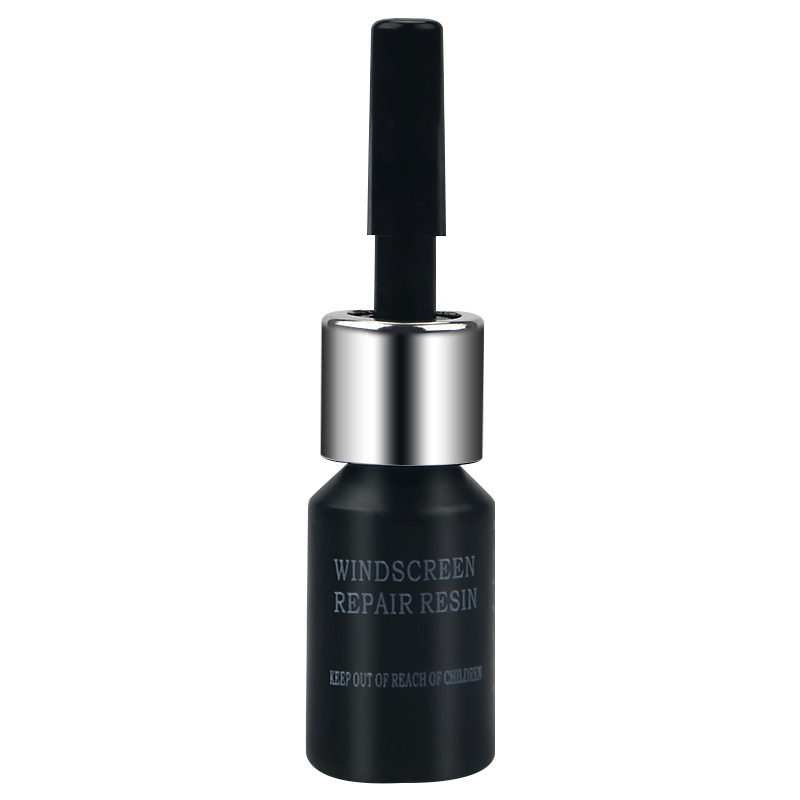
Restorative agent
- Fix windshield cracks in minutes, no expensive replacement needed. - Invisible UV curing repair, restore original glass clarity instantly. - Stop crack spreading, improve driving safety effectively. Key Selling Points (5 Bullet Points) - Prevent Cracks From Expanding: Forms high-hardness waterproof curing layer after curing. Effectively blocks rainwater, dust and air infiltration, avoids crack enlargement caused by vehicle vibration and temperature difference.

Glass
Step-by-step guide to adding a header logo and search bar via the Astra theme customizer I. Uploading/Setting the Header Logo (Site Identity) Locate the "Site Identity" option in the left-hand menu and click to expand it: Site Logo: Upload your brand image; it will automatically appear on the left side of the header. You can configure the logo width, mobile scaling size, and whether to display the site title. After saving, the logo will load on the left side of the header. II. Adding a Search Bar to the Header (Two Astra-compatible methods) Method 1: Adding a search icon via "Menus" (Simplest method; recommended) Click "Menus" on the left to enter the menu editing page; Locate "Screen Options" (top right corner of the page) and check the "Search" module; A "Search" item will appear in the list on the left; click "Add to Menu"; Drag the search item to your desired navigation position (e.g., the far right of the navigation bar); Click "Save Menu" and refresh the page; the search icon will now appear in the header navigation bar. Method 2: Adding a standalone search box via "Widgets" Suitable for scenarios where you want a full input box rather than just a magnifying glass icon.

Glass
Step-by-step guide to adding a header logo and search bar via the Astra theme customizer I. Uploading/Setting the Header Logo (Site Identity) Locate the "Site Identity" option in the left-hand menu and click to expand it: Site Logo: Upload your brand image; it will automatically appear on the left side of the header. You can configure the logo width, mobile scaling size, and whether to display the site title. After saving, the logo will load on the left side of the header. II. Adding a Search Bar to the Header (Two Astra-compatible methods) Method 1: Adding a search icon via "Menus" (Simplest method; recommended) Click "Menus" on the left to enter the menu editing page; Locate "Screen Options" (top right corner of the page) and check the "Search" module; A "Search" item will appear in the list on the left; click "Add to Menu"; Drag the search item to your desired navigation position (e.g., the far right of the navigation bar); Click "Save Menu" and refresh the page; the search icon will now appear in the header navigation bar. Method 2: Adding a standalone search box via "Widgets" Suitable for scenarios where you want a full input box rather than just a magnifying glass icon.

Glass
Step-by-step guide to adding a header logo and search bar via the Astra theme customizer I. Uploading/Setting the Header Logo (Site Identity) Locate the "Site Identity" option in the left-hand menu and click to expand it: Site Logo: Upload your brand image; it will automatically appear on the left side of the header. You can configure the logo width, mobile scaling size, and whether to display the site title. After saving, the logo will load on the left side of the header. II. Adding a Search Bar to the Header (Two Astra-compatible methods) Method 1: Adding a search icon via "Menus" (Simplest method; recommended) Click "Menus" on the left to enter the menu editing page; Locate "Screen Options" (top right corner of the page) and check the "Search" module; A "Search" item will appear in the list on the left; click "Add to Menu"; Drag the search item to your desired navigation position (e.g., the far right of the navigation bar); Click "Save Menu" and refresh the page; the search icon will now appear in the header navigation bar. Method 2: Adding a standalone search box via "Widgets" Suitable for scenarios where you want a full input box rather than just a magnifying glass icon.

Standard shipping is free to most areas in Australia, the UK, Canada, and the United States.

Standard shipping is free to most areas in Australia, the UK, Canada, and the United States.

Standard shipping is free to most areas in Australia, the UK, Canada, and the United States.